
Heads up: this post contains affiliate links. If you sign up for Wispr Flow through one of them, I earn a commission — at no extra cost to you. I’d write this review the same way without one. I only recommend tools I actually use and pay for.
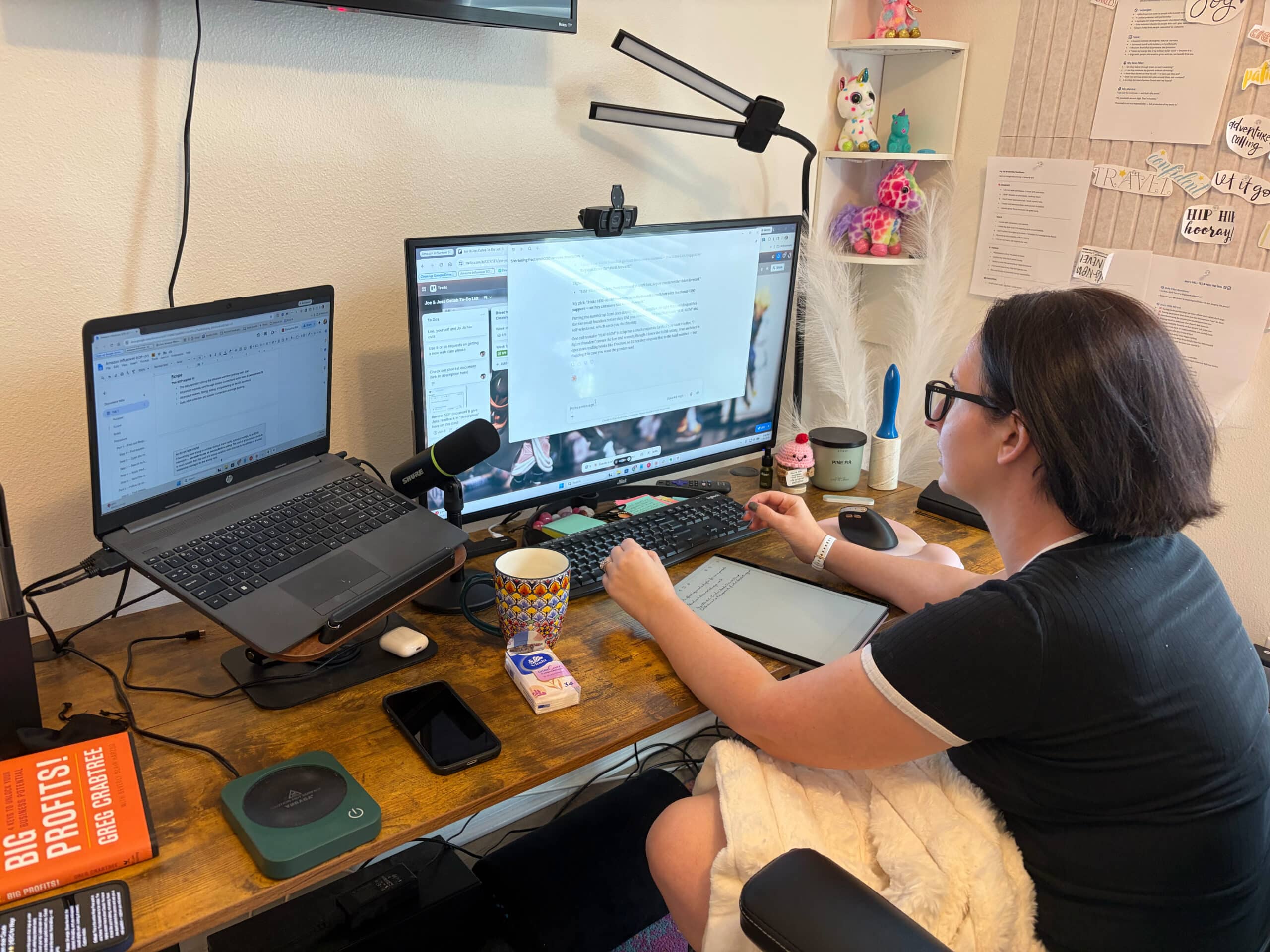
I’m in my big black queen-of-the-castle office chair, legs pulled up under me, white fuzzy blanket over my lap. Laptop open. I’m having a 90-minute back-and-forth with Claude about a client’s ICP. Long, layered, nuanced questions. The kind of work that used to take me a full day because every answer required me to type out three paragraphs of context, and by paragraph two my brain had moved on and my hands were still catching up.
I’m not typing. I’m talking.
This is what Wispr Flow looks like in my actual life. Not a productivity hack. Not a content workflow. The way I run my business now.
I’m going to tell you straight what it does, what it doesn’t do, and why it’s the rare tool I would not give up.
What Wispr Flow actually is
Wispr Flow is an AI voice dictation app that runs in the background on Mac, Windows, iPhone, and Android. You hold a hotkey, talk, and it pastes clean formatted text wherever your cursor is — Slack, Gmail, Notion, Claude, Google Docs, anywhere you type.
It is not basic dictation. It is not Apple Dictation with a coat of paint. It runs your speech through AI cleanup that strips your filler words, fixes self-corrections in real time (“Tuesday — wait, Wednesday” comes out as “Wednesday”), and produces text that’s actually ready to send.
My team is on it… My husband Joe. Worth every dollar.
The thing nobody else is telling you about Wispr Flow
Every review of this tool talks about the “style-matching” feature — how it allegedly writes differently in Slack vs Gmail vs Notion to match the app’s tone.
Here’s the honest take: I don’t notice that. And I don’t want to.
What I actually notice is the opposite. It talks like me everywhere. Same voice in Slack. Same voice in Gmail. Same voice in a Claude prompt. Same voice in a Loom description. I don’t want my tool deciding I should sound more formal in email and more casual in Slack. I want it to sound like me, in my voice, regardless of where I’m typing.
It does that. And that’s the actual unlock.
When my voice is consistent across every channel, my whole brand reads as one human. When my voice is auto-adjusted for context by a tool, I sound like five different people pretending to be the same brand.
If you’re a founder building a brand, this is the part that matters. Your voice has to be yours everywhere. Wispr Flow doesn’t get in the way of that.
The 10x I’m not exaggerating about
I’ll give you a real number. Wispr Flow has 10x’d my output. I am not rounding up.
Here’s why that math actually checks out. The biggest place I use it is talking back and forth with Claude. Answering long, layered questions to nail down ICPs, customer journeys, SOPs for client work, document prep, content frameworks. This is high-context, high-nuance work. The kind that breaks down if you try to do it in shorthand. Every prompt needs real paragraphs of context. Every reply from Claude generates three more layers of follow-up questions.
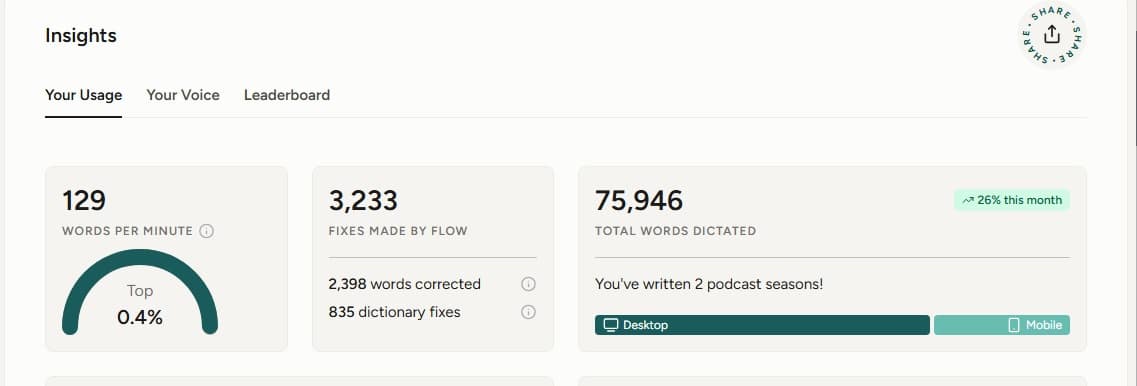
If I’m typing all of that out, I’m capped at maybe 70 words per minute on a good day, and by the third hour my brain is faster than my hands by a mile. I lose the thread. I shortcut the answers. The quality of the AI work goes down because the quality of MY part of the conversation goes down.
With Wispr Flow, I talk to Claude the way I’d talk to a smart consultant sitting across from me. Full sentences. Full context. Full nuance. At the speed I think.
What used to be a full day of work is now 90 minutes. That’s not a productivity bump. That’s a different business.
If you want to try it, here’s Wispr Flow.
What Wispr Flow does that nobody covers
This is the feature that earns the price and almost no reviewer mentions.
The custom dictionary. You can add words to Wispr Flow so it gets them right every time. Industry terms. Names. Brand-specific language. Stuff your team uses internally that no AI has ever heard of.
Here’s the small detail I want to tell you about. My account is a team account. My husband Joe is on it. Joe loves anime. So when I was setting up our shared dictionary, I went in and added a bunch of anime character names <3 for him. So that when he’s dictating something and a character name comes up, Wispr gets it right.
That’s the thing. This isn’t a tool you bolt on top of your existing chaos. It’s a tool you configure to your actual life and the actual humans on your team. You teach it your vocabulary once and it stops getting in your way.
Most reviewers don’t cover this because they’re testing the product for a week and writing a review. You only find out the dictionary matters after you’ve used it for a month and you’ve got a list of 15 words it kept butchering.
What changed for Joe (the part I didn’t see coming)
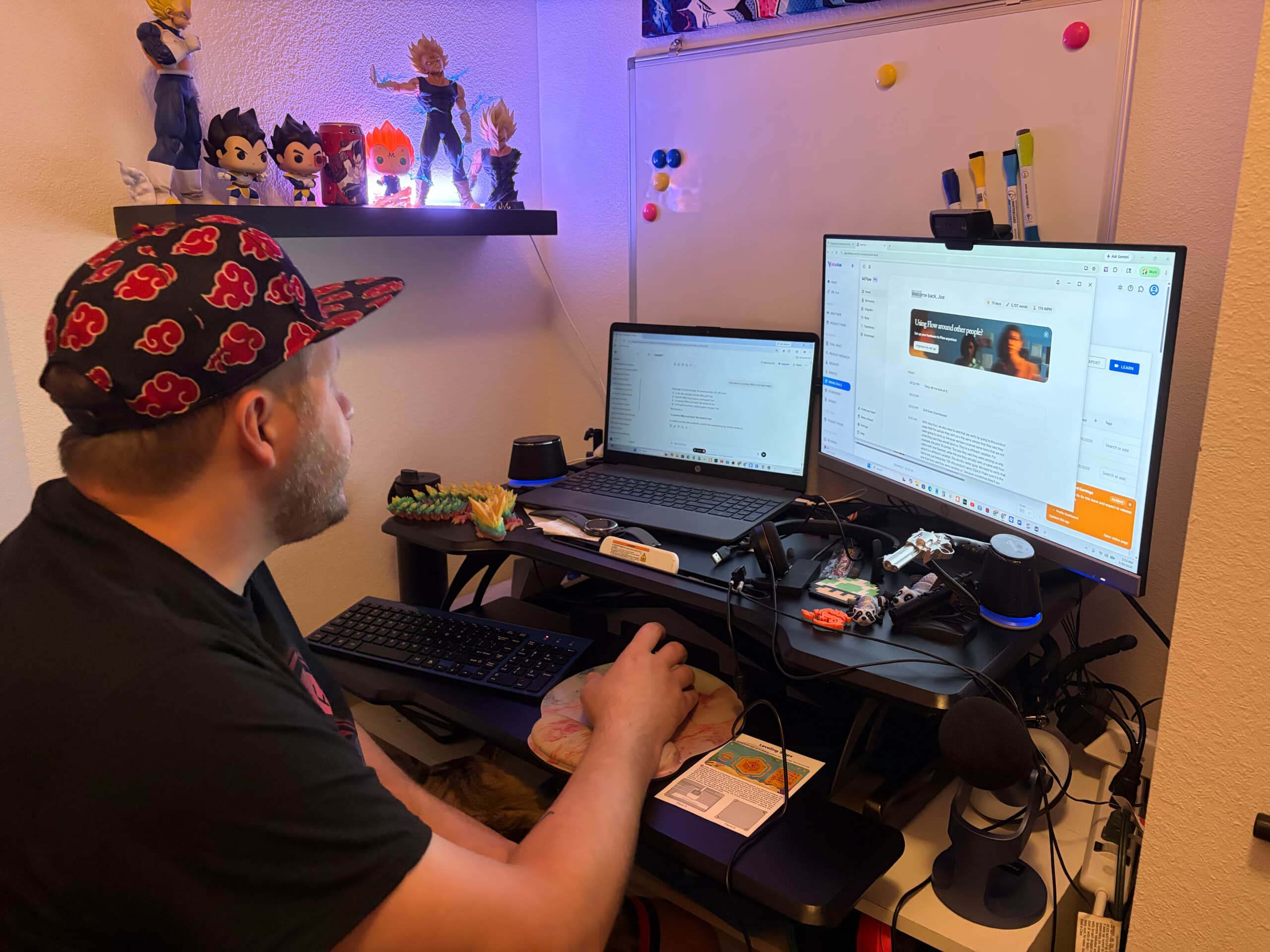
My husband Joe and I work together. Joe has dyslexia and reading comprehension disorder. Typing is genuinely hard for him. Not “slow typist” hard. Actually hard. Every email, every Slack message, every client comm was a tax he was paying that I didn’t fully understand until I watched him try to send a 3-sentence message and have it take 11 minutes.
I put Wispr Flow on his machine.
Within a week he was communicating at the speed his brain actually works at. He stopped apologizing for slow replies. He started taking on communication-heavy work he’d been quietly avoiding. The first time I watched him send a polished 4-paragraph client response in about 90 seconds by talking… like a “normal” person… I almost cried.
If you have a team member with dyslexia, ADHD, carpal tunnel, or reading comprehension issues, they need this. Today. It is the cheapest accommodation you’ll ever make and it pays back in week one.
The honest part
Three things to say straight.
It’s cloud-only. Audio goes to Wispr’s servers for processing. They hold SOC 2 Type II and ISO 27001, and Privacy Mode (free on all plans) means nothing is stored after processing. HIPAA BAA available in-app. If you’re in a regulated environment, sign the BAA before you roll out. If you’re not, you’re fine.
It’s a paid subscription, not a free tool. Not cheap compared to free dictation built into your OS. It is also not even close to comparable to free dictation built into your OS. You’ll know within the trial period.
Windows runs worse than Mac. If your whole team is on Windows, test it on one machine for a week before you commit company-wide. I use windows and it’s totally fine for me so don’t worry about that too much.
Wispr Flow vs Apple Dictation — what’s actually different
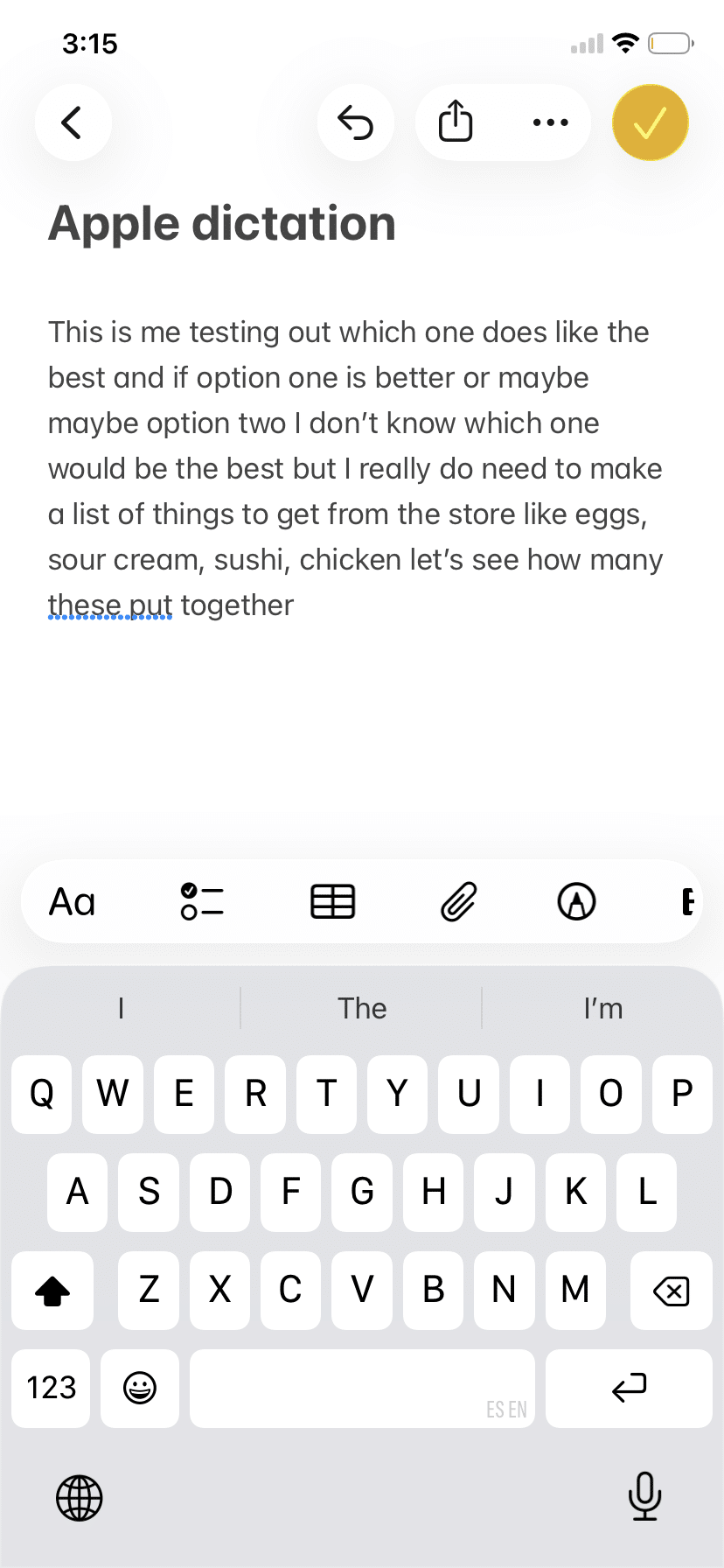
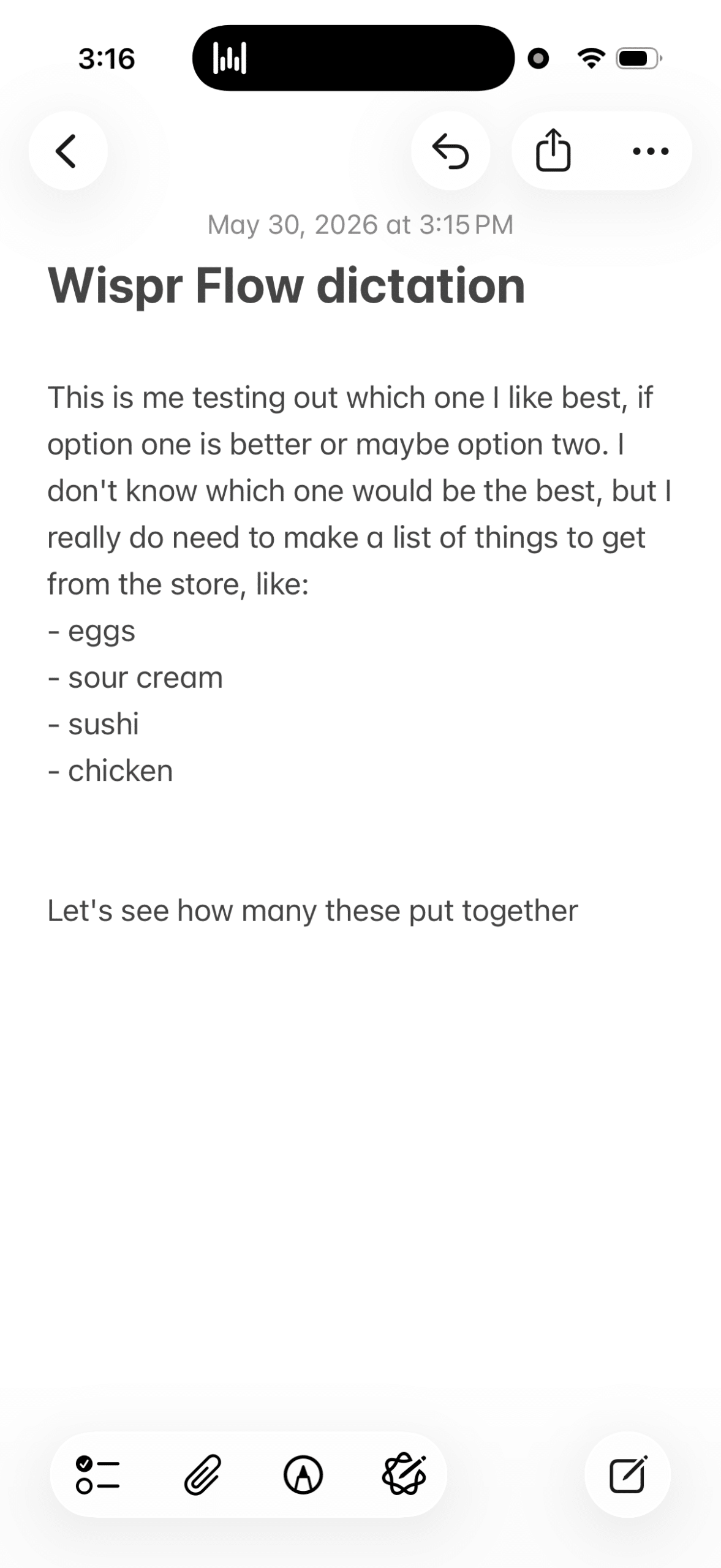
Apple Dictation transcribes raw speech. You say “um, okay, so the thing is, like, we need to actually, wait, we need to schedule a meeting Tuesday no Wednesday” and Apple Dictation gives you that, verbatim, with all the ums and uhs.
Wispr Flow gives you “We need to schedule a meeting for Wednesday.”
That’s the difference. One transcribes. The other thinks about what you meant and gives you the finished version. For business use, the finished version wins every single time.
Who this is for
This is for the founder doing high-context AI work… building ICPs, writing strategy docs, talking to Claude or ChatGPT all day… who is getting capped by their own typing speed.
This is for the operator drowning in Slack, email, and documentation, who’s started showing up to Friday with two unfinished SOPs and a backlog of replies.
This is for any team where someone has dyslexia, ADHD, carpal tunnel, or just types slowly — and you’ve been quietly working around their slower output for months.
This is for the team where Loom descriptions say “see video” because nobody has the bandwidth to type one more thing.
Who it isn’t for
If you only send a couple of emails a day, you don’t need this. Save your money.
If you’re in a regulated environment without compliance review, hold off until you’ve signed the BAA.
If your entire team types at 100+ wpm and ships everything on time, congratulations. You don’t have the problem this solves.
The identity piece (for you, founder)
You’ve been the bottleneck in your own company on communication. Your team waits on your replies. Your clients wait on your follow-ups. The Slack notifications stack up while you do the work you actually want to do, and then you spend the last hour of every day burning through the backlog.
You read Buy Back Your Time. You highlighted the part about $10-an-hour tasks. Typing your own messages at 50 wpm is a $10-an-hour task. So is your team doing it.
Here’s a tool that 10x’d my output. Roll it out to your team and watch your whole operation move faster.
The cheapest leverage in your business is sitting in a download link. Stop deferring this one.
Try Wispr Flow with my referral link.
FAQ
Is Wispr Flow worth paying for?
Yes, if you write more than 30 minutes a day across emails, Slack, docs, and AI prompts. It pays back in week one. If you barely type at work, skip it.
Does Wispr Flow work well with Claude and ChatGPT?
This is actually its best use case. Talking back and forth with AI tools through Wispr Flow is significantly faster than typing prompts, and the AI cleanup means your prompts arrive clean and structured. I do 90-minute Claude sessions almost entirely by voice.
Can you add custom words to Wispr Flow?
Yes, and this is one of its underrated features. You can build a custom dictionary of names, industry terms, and brand-specific words so Wispr Flow gets them right every time. Team accounts share the dictionary, so once you build it, the whole team benefits.
Does Wispr Flow work for people with dyslexia or carpal tunnel?
Yes. It’s actually one of the use cases Wispr Flow is best known for — Wikipedia explicitly names dyslexia, ADHD, paralysis, and carpal tunnel as conditions where users have adopted it heavily. My husband has dyslexia and reading comprehension disorder. This tool changed his ability to participate in written work.
Wispr Flow vs Apple Dictation — what’s the difference?
Apple Dictation transcribes raw speech with all the filler words and self-corrections intact. Wispr Flow cleans up the text in real time — strips ums and uhs, handles self-corrections, formats properly. For business use, Wispr Flow’s output is dramatically more useful.
Is Wispr Flow safe for client data?
Holds SOC 2 Type II and ISO 27001 certifications. Privacy Mode (free on all plans) means nothing is stored after processing. HIPAA BAA available in-app. For most business use, it’s safe. For HIPAA environments, sign the BAA first.


